
Keep the Accounting Software You Already Trust.
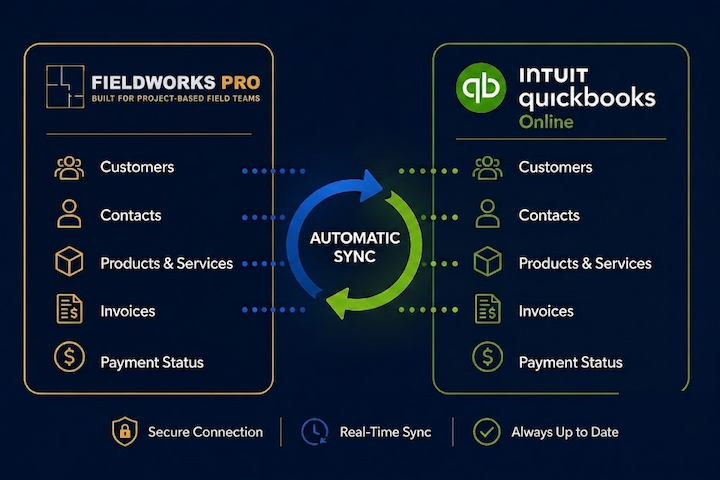
Connect your QuickBooks Online account once and let Fieldworks Pro handle the rest. Customers, contacts, products, services, invoices, and payment status stay synchronized automatically, so your office and field teams always work from the same information.
Eliminate Duplicate Data Entry.
Your accounting software and field operations software shouldn't operate independently. Fieldworks Pro automatically synchronizes the information your team uses every day, allowing project managers, installers, and accounting to work from the same customer, invoice, and project data without entering it twice.
Connect Once
Securely connect your QuickBooks Online account from Fieldworks Pro settings. Once connected, synchronization happens automatically.
Two-Way Customer Sync
Customers and contacts stay synchronized between both systems, keeping everyone working from the same information.
Products & Services
Maintain products and services inside QuickBooks Online while Fieldworks Pro automatically uses the latest information throughout your projects.
Faster Invoicing
Create invoices inside Fieldworks Pro and automatically generate them in QuickBooks Online without entering everything twice.
Payment Status
When an invoice is marked paid in QuickBooks Online, Fieldworks Pro automatically reflects the updated payment status.
Better Together
Continue using QuickBooks for accounting while Fieldworks Pro manages quoting, scheduling, labor tracking, receiving, project management, and field operations.
Keep QuickBooks for accounting. Let Fieldworks Pro run your operations.
Your accounting team shouldn't have to rebuild information that already exists. Connect QuickBooks Online once and allow customer information, invoices, products, services, and payment status to stay synchronized automatically while your field team focuses on completing projects.
Connect QuickBooks Online
One secure connection links your Fieldworks Pro account with QuickBooks Online.
Manage Projects
Create customers, quotes, projects, and invoices without leaving Fieldworks Pro.
Automatic Synchronization
Invoices, customers, contacts, products, services, and payment status stay synchronized automatically.
Accounting Stays Current
Your accounting team continues working in QuickBooks without duplicate entry or manual updates.
Start without a costly rollout.
- $0 implementation fee
- 30-day free demo
- No $12,000 onboarding
- Built-in live support
What installers and dealers ask us.
Answers to the questions that come up when a company wants to keep QuickBooks and stop entering everything twice.
Does Fieldworks Pro replace QuickBooks?
No. Fieldworks Pro works alongside QuickBooks Online, allowing you to continue using QuickBooks for accounting while managing operations inside Fieldworks Pro.
What information synchronizes?
Customers, contacts, products, services, invoices, and payment status automatically synchronize between both platforms.
Is synchronization automatic?
Yes. After connecting your QuickBooks Online account once, Fieldworks Pro keeps supported information synchronized automatically.
Where should I manage products and services?
Products and services should be maintained inside QuickBooks Online. Fieldworks Pro automatically uses that information throughout your projects.
Can I create invoices inside Fieldworks Pro?
Yes. Create invoices in Fieldworks Pro, and they're automatically created in QuickBooks Online.
Can I still create customers in Fieldworks Pro?
Yes. Customers and contacts created in Fieldworks Pro synchronize with QuickBooks Online automatically.
Keep QuickBooks. Make Everything Else Easier.
Fieldworks Pro was built for commercial furniture installation companies, not accountants. Keep the accounting software you already trust while giving your project managers, installers, and office staff the operational tools they need to run projects more efficiently.